One feature of London suburban streets is the availability of on-street EV charging, usually making use of street lighting to provide the power.
I was staying with family in Wimbledon in London and I decided to take advantage of the availability of the charger to charge the Funky Cat.
It is a slow charger just pushing out around 5 kWh, so this is a solution for when you have time to charge. There is a twelve hour limit for the charger I was using. Despite the slow speed, it’s not cheap, between 7am and 12pm it’s 60p kWh but overnight it falls to 40p which is better value.
I only used it for three hours getting 15.6 kWh. The real advantage was convenience, not having to drive somewhere to charge was a real bonus. Of course for local residents who don’t have a driveway, this is a solution for when you need a charge.
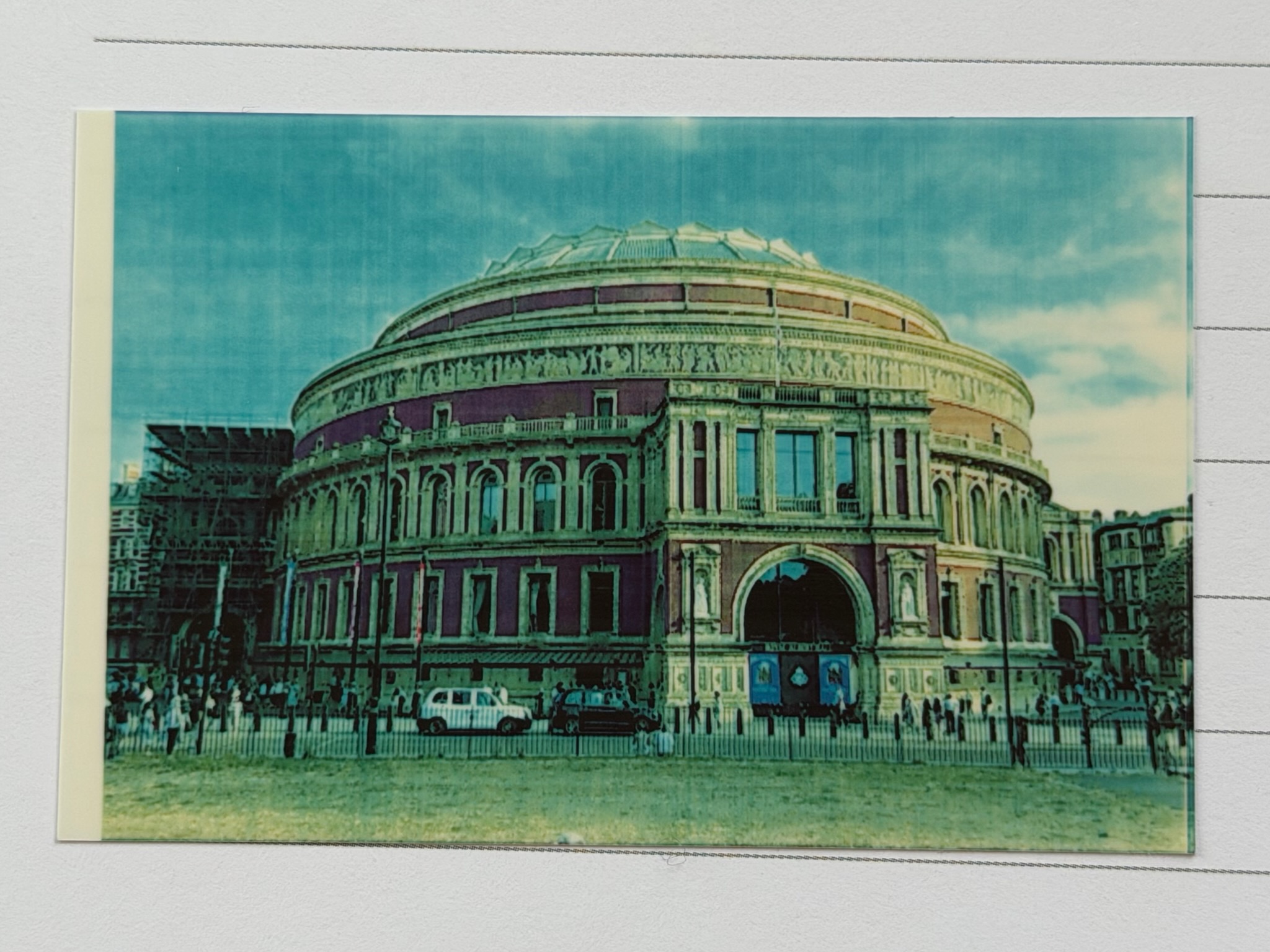
I had a Pogo printer for many years and this was replaced with a Polaroid Zip in 2020. The print quality on recent prints was quite dire, not sure if this was the printer or the paper. It is also not printing on the whole paper, leaving an unprinted stripe on one side.
I quite like the retro faded nostalgic look of the prints, but I would prefer to have the choice to print better looking prints, or prints that look like they are forty years old.
I have ordered some new paper, but if the printing quality hasn’t improved then I think I might buy a new printer. The one I have is five years old, so it is getting on a bit.
I generally use the Polaroid Zip to supplement and enhance note taking, more than using it to just print photographs. I also like the fact that it is battery powered so I can take it to conferences and meetings, though I don’t do that as much these days as I use to. The fact the images are stickers is a bonus as well.
The Zink paper technology appears to be the de facto standard for small print printing these days. I did like the small HP 6”x4” printers they use to do, which was about twenty years ago now.
Well, we’ll wait for the paper and wait and see what happens.
One of the regular places I charge when travelling back from London is the Tesla chargers at the Westbound Reading MOTO Services. There are no Tesla chargers on the Eastbound side, why that is, I do not know.
It normally just works at these chargers, but on this visit, the charger failed to work. Usually I never have problems with these chargers, however having arrived and parked, but was unable to start he charge on the app. This also then locks the charging cablein the car. I then had to do the usual hassle of opening the bonnet to manually release the charger from the car. I moved the car and put it on charge and it all worked fine from then on.
I don’t think this was a problem with the Funky Cat, I think that there was a specific problem with that charger.
I did get 23.8 kWH in 35 minutes, which took the Funky Cat from around 30% to 50%. This was delivering at a rate in the region of 50kW. One of the downsides of the Funky Cat is that it can’t take advantage of the speed of some of the rapid chargers out there. Some are rated to deliver 350kW, the Funky Cat can’t take that kind of power.
Having reached just over 80% I stopped the charge and unplugged. I find it strange that unplugging after a successful charge just works. I wonder if there is a kill switch on the charger itself so that it doesn’t remain locked when a charge fails to initialise.
Since I got my iPhone 17 Pro Max I have thought about using it for some filming, video blog type things. I know I could do that selfie thing and hold the camera in my hand, but I also wanted to do some pieces to camera, where I am not holding the phone.
I looked online and decided to get a tripod mount for the phone, I already have a tripod, so this would be something I could use with that.
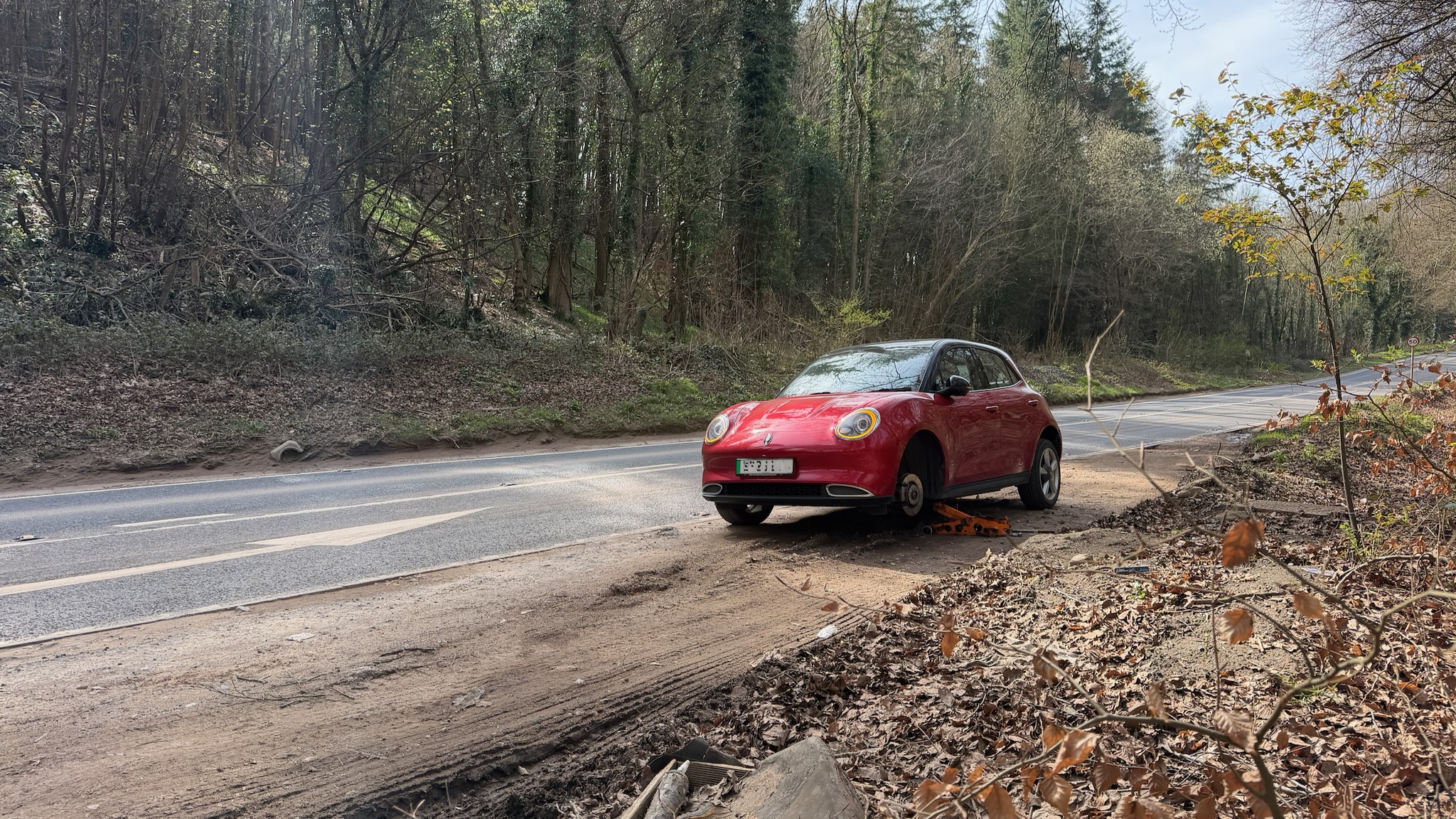
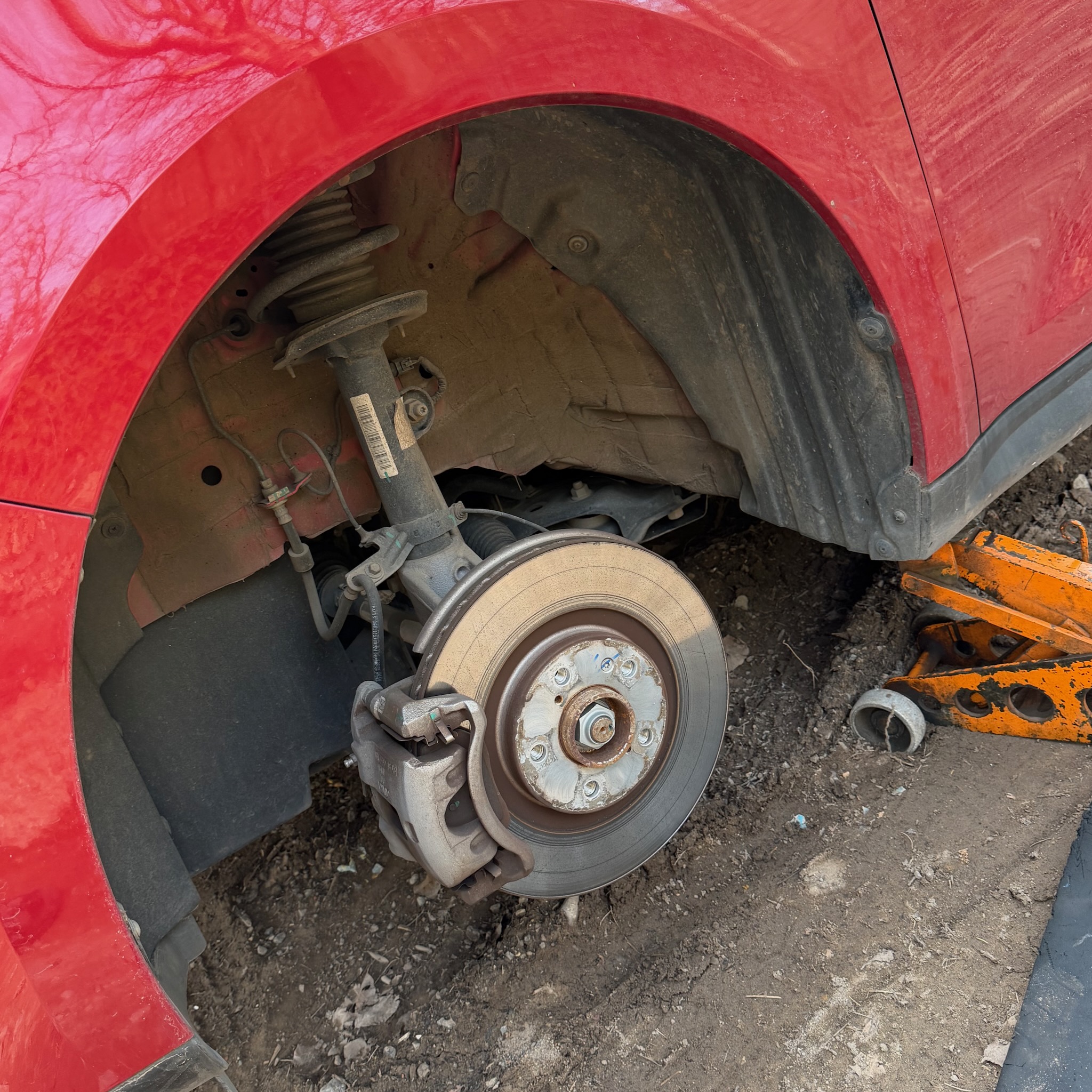
A couple of weeks ago the Funky Cat had a puncture. I was driving into Bristol on the B3128 down Clarken Coombe. There was a rock in the road, which I tried to avoid, failed and it ripped a huge hole n the side of the front nearside tyre. I was able to make it the lay-by.
The Funky Cat doesn’t have a spare tyre, it has a pump and some tyre repair fluid. I knew that this probably wouldn’t work as this didn’t feel like a normal puncture.
The air pump and the tyre repair fluid can only be used to repair sealed tyres with a puncture on the tread.
So, I made the decision to call the RAC, the Funky Cat is a lease car, so comes with breakdown cover. The problem I had was that where I was on the B3128 there was no phone signal. I had to walk into the Ashton Court woods to get enough signal, to check the website to get the right number and call.
The RAC was very quick and quickly got the wheel off, and then they headed off with the wheel to get the tyre replaced.
That took longer than it should have, but that wasn’t the fault of the RAC (or the tyre place). Once the RAC was back they completed the repair and I was on my merry way.
I had an annoyance with my MacBook Air, which has taken me quite a while to get sorted. The annoyance was compounded by the fact I had sorted it out on my work MacBook Pro, but didn’t remember how I did that, so wasn’t able to replicate the solution on the MacBook Air.
So, what was the annoyance?
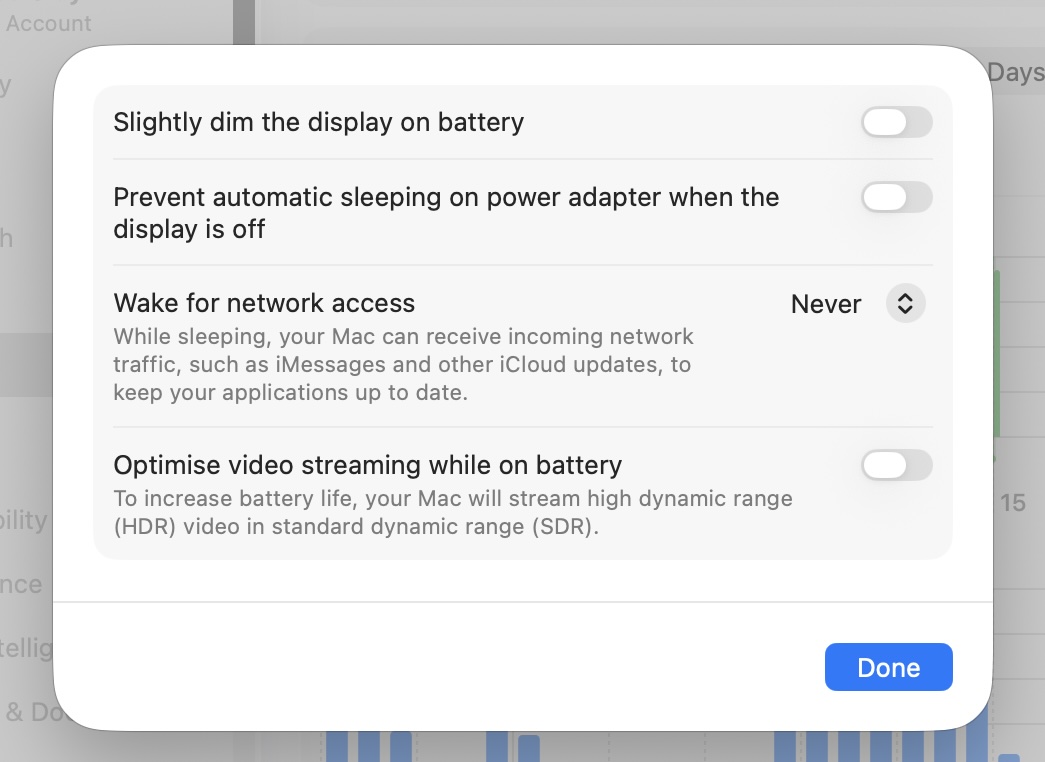
Well it wasn’t huge, simply put, when the MacBook Air is on battery power, when waking from sleep, the MacBook Air screen would be dimmer and I would need to increase the brightness manually.
This didn’t happen with my MacBook Pro, so I knew it was possible, I couldn’t remember what I changed.
I looked at the display system settings on the MacBook Pro and compared it to the MacBook Air, but couldn’t work out what the change I made was.
Then… I was checking the settings in relation to the wake from sleep issue I was having with the MacBook Air when I saw a setting in the battery settings, under options.
Slightly dim the display on battery.
For some reason I had been looking at display options in System Settings and not the battery options.
I recently updated my Apple M3 MacBook Air up to Tahoe 26.5 and I am having an intermittent issue with the MacBook Air waking from sleep. I’ve not had this issue before, and it has only started happening since the 26.5 update.
The problem is, shutting the laptop lid to sleep the Mac. Later when I open the MacBook, the screen is dark and there is a dark spinning beach ball. The only solution appears to be doing a hard power shut down and restart.
Searching online doesn’t really help. Possibly a hibernation state problem, but not really sure.
I do realise that the predicted range is based on my previous driving, and that will vary depending on which roads I am driving, use of heating and air-conditioning, acceleration and regenerative braking. However, after charging to 100% I was pleasantly surprised to see a 170 mile predicted range.
Screenshot
The lease for the Funky Cat comes to an end in a couple of months and I have been looking at replacements. Not that I would get a new Ora 03 to replace the Funky Cat (it isn’t available as an option anyhow) I would like to get a car with a significantly longer range than the Funky Cat.
I have been reflecting on some of the work I have done over the years on leadership and management especially in relation to strategy and prioritisation.
My background is economics, and simply put, the basic economic problem is scarcity. Wants and needs are essentially unlimited, but available resources are not. Economics is the science of allocation of these finite resources in the face of unlimited wants.
When it comes to an organisational allocation of resources, you can’t do everything you want to do, you have to prioritise what you do.
Of course though everything you want to do is important.
The reality is some things are more important than other things.
As an organisation you need to prioritise what you want to do based on what you consider what is important and what is not necessarily unimportant, but more less important.
You could let the staff (or teams) decide what is important,, but there are issues with this. They may choose what they think is important, this may not be what the organisation or the customers think is important. They may in fact decide what they are going to do based on what they want to do, rather than what is important. There is also the issue of duplication of effort, as different teams choose to do the same thing, as they both consider it important.
It isn’t just an issue of deciding what is important, but also deciding what should be prioritised and what shouldn’t. That prioritisation exercise needs to take into account all the factors that will influence that decision making, such as availability and cost of resources.
Deciding what is important is a strategic decision, strategy should drive decision making about what is important and what isn’t.
Everything is important, but some things are more important than others.
For many years I did not know the difference between planning and forward planning, even thinking there probably wasn’t any difference. In training sessions and team meetings when we would discuss planning, I would often ask what the difference was, and rarely if ever I would get an answer, never a satisfactory answer.
However, I still suspected that there was something that made forward planning different to plain old planning. So, I did some internet research and actually much of the discussion out there on the internet tubes also didn’t know what forward planning was.
One definition that I saw said, forward planning involves organising steps chronologically from the present to the future.
I had to ask isn’t this just planning?
Another source said chronological steps made it forward planning, whereas planning was done by looking at the end goal and working out the end goal and working backwards to see what steps were needed to achieve the end goal.
To me, that is pretty much the same thing. You have an end goal, to achieve it you will break it down into a series of tasks and organise them chronologically. Whether you work forwards or backwards, it’s still pretty much the same, it’s just plain old planning.
I then started to see a pattern in my research.
Planning was about achieving an end goal.
Forward planning was less about where you wanted to be, but planning for an unknown future. It was about anticipating future needs, potential risks, long term developments, economic change, societal change; so you are forward planning to be responsive to whatever the changes the future holds. Forward planning is specifically designed to minimise future uncertainties, less about planning for a specific goal.
I am not saying I am right, but I now have the basis for a future discussion about planning and forward planning.