
How to Disable Inline Predictive Text on Mac

I use Pages quite a bit, one feature that has been annoying me is the predictive text, this is more intrusive than auto-correct, which is useful (for me). No, this is when as you write, Pages suggests which word you are trying to type. Now, I can see how some people might find that useful, however, for me, I find too often that it is not just suggesting the wrong word, but also that act of suggesting actually is both distracting and annoying.

I initially thought it might be in the settings for Pages, but it wasn’t.

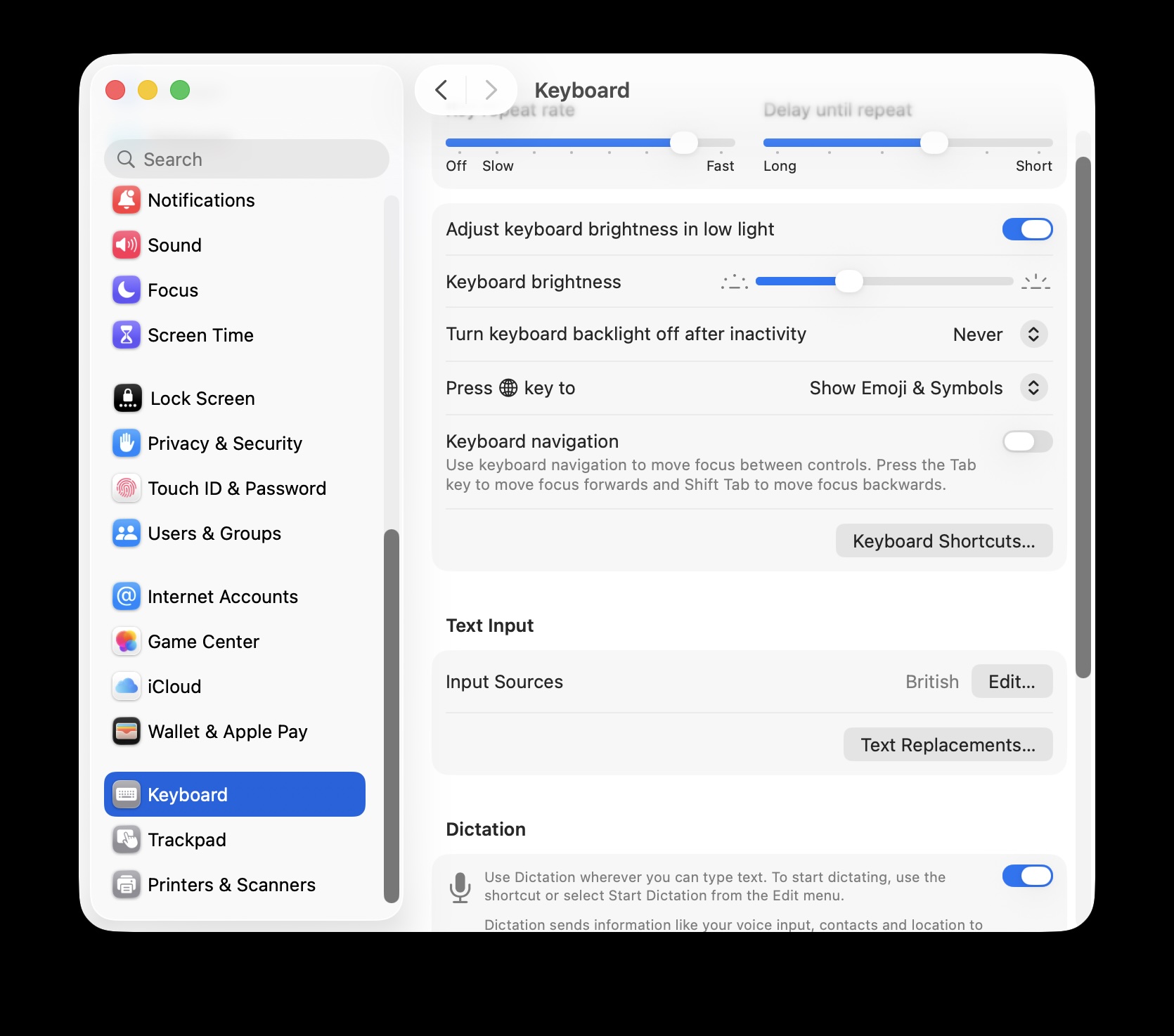
From Settings -> Keyboard
Screenshot

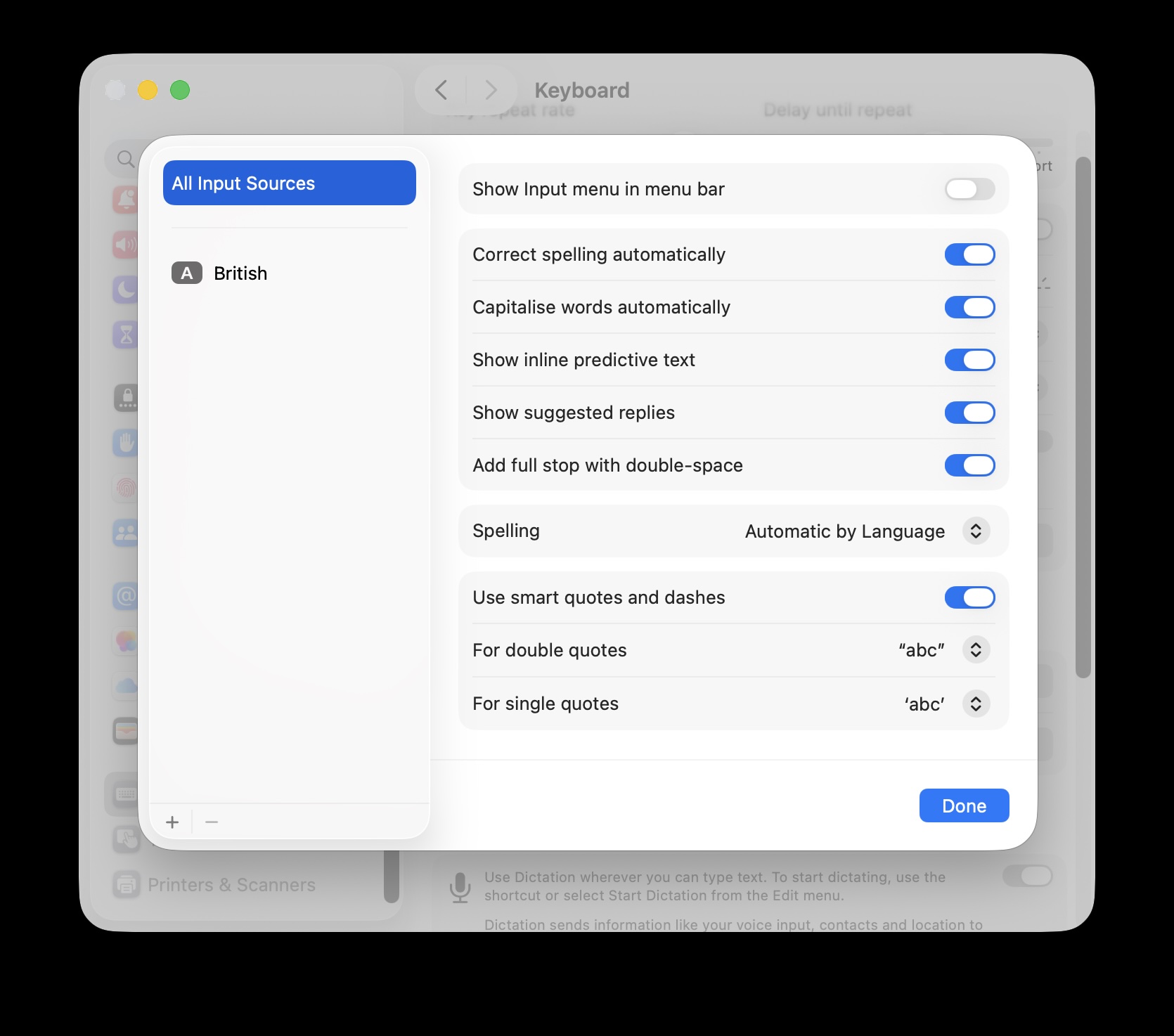
Scroll down to Input Sources and  click Edit.
Screenshot

Turn off Show inline predictive text.

Screenshot

As this is a Mac wide setting, this “feature” also appears in other applications.

iCloud sync issues

Image by congerdesign from Pixabay

One of the reasons I use iCloud is that I often use two different systems for writing. I have a MacBook Air and a Mac mini. I will often start writing on the MacBook Air and then do some more on the Mac mini.

Usually I don’t have sync issues, but over the last few weeks I have noticed that text I wrote on one machine disappeared when I opened the document on the other machine. This happened with both Pages and Word files.

I am not entirely sure of what the issue is, I think it may be because I have not necessarily saved the file on one Mac and then when (later I) access the file on the other Mac it takes the cloud version, saves it, and then saves back to the cloud. As it is more recent, then the other Mac uses that file rather than the older unsaved version.

I think that is the problem, but I haven’t been able to replicate the problem either.

Since then I have been taking care to save files more often. Also, been closing files rather than leaving them open.