No more WeMo, this time I mean no

light bulb on a wet surface

I have finally unplugged my WeMo devices and bulbs.

I wrote about some WeMo devices I have at my home. Since I moved house last November, I have been using some WeMo devices from Belkin that I have had for a while, but hadn’t used for a fair few years in my last place. These were smart plugs and smart bulbs. I wrote that Belkin are going to stop supporting WeMo devices from January 2026. So, in the longer term I will need to either remove them or replace them.

I did remove them when I had problems with the app, but then they had a reprieve when the app started working again.

I had trialled an Amazon Smart Plug which had been on a special offer. I kept a note on prices using the Keepa extension, and when the plug (and the smart bulbs) recently dropped in price, I made a purchase.

Amazon Smart Plug

The bulbs were easy to install, after installing the first one, the second one almost installed itself.

The only downside. One of the nice functions of the WeMo devices was the “away from home” functionality, which meant that if I was away the lights would go on and off at random times. I have since discovered that the “away mode” for Amazon devices is only available in the US. What’s that about then?

Anyhow, the new Amazon devices seem to be working, and are much more reliable than the WeMo devices.
Out of order

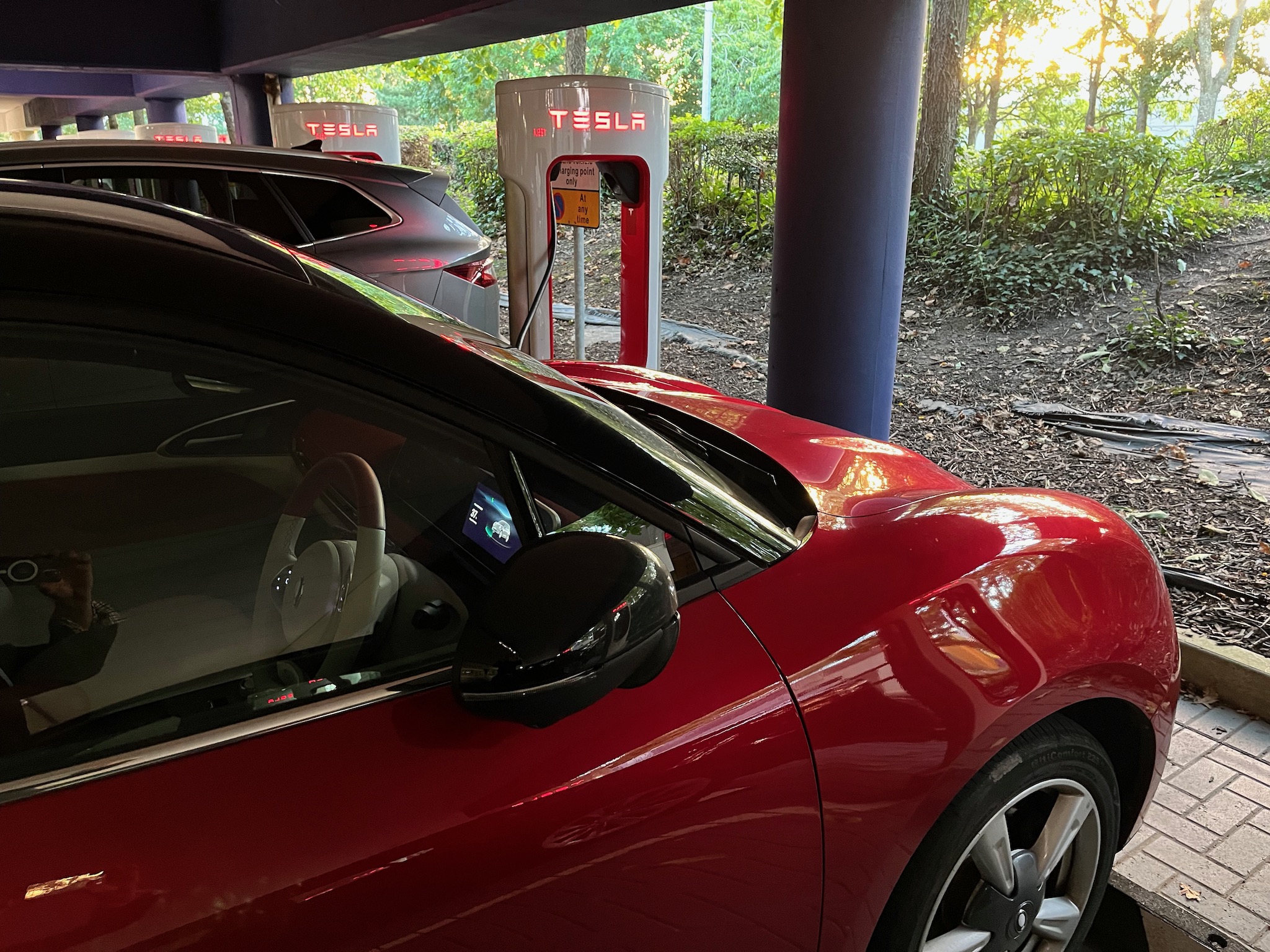
I use Tesla Superchargers for my Funky Cat because they are significantly cheaper than other public charging options. I was on my way back from Birmingham, and though I didn’t have enough charge to get home, I did to get to the Gloucester Services. On previous trips back from Birmingham I would visit Frankley southbound services on the M5 and use the Tesla chargers there, which would then get me home. However, my preference was to head to Gloucester as the services there are much nicer than the ones at Frankley and I did fancy getting something from the Farm Shop at the services.

When I arrived, I had a 12% charge left on the Funky Cat. I drove around to the Tesla chargers, and it looked like most were free, and there was a reason for that. I did my usual process of starting the charge on the app and then plugging in the cable to the Funky Cat. This appeared to go okay, but then as I waited for the charging to initialise and start, I saw there were problems. The Tesla driver next to me was having a similar issue. It appeared that the chargers were temporarily out of order.

The Gloucester Services have a set of other chargers in their parking as well. However, all the other chargers were all busy. 

I popped into the services anyhow as I needed the loo. My new plan was to go to the northbound services via Junction 12. However, when I came out I saw a car was about to leave the (other) chargers, so I quickly took their place and put the Funky Cat on charge. At 69p kWh not as cheap as the Tesla chargers, but certainly cheaper than Gridserve or InstaVolt at other motorway services.

I went in to the services to get some coffee and browse the shop.

By the time the Funky Cat was at 84% I saw that the Tesla chargers were now working. Was it worth moving the car, well the ones I were using were 13p more per kW. So, using the other chargers and with my 31.3 kWh I was charged £4.07 more than if I had used the Tesla chargers at 56p kWh.

However, moving the car for probably another 5 kWh would save me 65p, so I didn’t bother. I had enough charge to get home, so I unplugged the Funky Cat, took a photograph of what I had been charged and headed home.

Made it by minutes…

pocket watch
Image by Bruno from Pixabay

I often use the Tesla superchargers when charging the Funky Cat, as they are often significantly cheaper than other public chargers. The last time I used the chargers at Cribbs Causeway I had an issue with one of the chargers so I missed the cheaper charging window.

On my way up the M5 and needing a charge I tried again, though this time I arrived with about ten minutes to spare (not quite the fifteen I planned for). However this time I used the charger that worked last time first and it just worked. This meant I got my charge at 32p kWh rather than 56p kWh. This saved me over nine pounds on my 39kW that I put into the Funky Cat.

Missed it by minutes…

I often use the Tesla superchargers when charging the Funky Cat, as they are often significantly cheaper than other public chargers.

For example the Gridserve chargers often charge around 85p kW, however the Tesla chargers are not only cheaper at peak times, but much cheaper off-peak. It does vary, but at the time of writing the Tesla superchargers at Cribbs Causeway in Bristol are 56p from 9am to 8pm, 37p from 8pm to midnight and for the rest of time they are just 32p.

To put that in perspective, charging my Funky Cat and putting a big charge of 32Kw into the car could cost £27.20 from Gridserve, but if I put the charge before 9am at Cribbs on the Tesla chargers, then the cost would be £10.24. That is a big difference. 

I decided to head to Cribbs and use the cheaper rate for charging by Tesla. I arrived with about five minutes to spare. This doesn’t matter as the rate you pay is the rate at the point you start charging.

However, the first charger I used, did not work. I have had this issue before with some Tesla chargers. I tried starting the charge again, once more no luck. I then needed to unlock the charging pin, move the car to a different chargers and try again. By the time I moved the car, it was now past 9am, so, I had to pay the higher rate. The difference was that my 33.9Kw charge cost me £18.63, but if I had managed to get the charge going at the cheaper rate then it would have been £12.54, a saving of just over £6.

I think the next time I try this, I need to get there at least fifteen minutes before the charging window changes so I have time to move the car if I need to.

Project Indigo

I was listening to MacBreak Weekly and there was a discussion about Adobe’s Project Indigo.

I went to the website and it looked really interesting in what they were trying to achieve with the app. They describe it as a computational photography camera app

The app takes multiple images which can then reduce imaging noise or add more detail.

Project Indigo image
At left is a single-image photo taken by an iPhone under 1/10 lux illumination. (It’s so dark you couldn’t find your keys if they dropped on the floor!) At right is a handheld photo taken by Indigo, which has captured and merged 32 images (sometimes called frames) to reduce imaging noise.

I thought to myself I would like to try this app, and after installing it on my iPhone, found that my phone wasn’t compatible. 

So, I need a new phone…

In the meantime check out the article and see actual full size images created by Project Indigo.