
Why so slow…

I have to say that I still get confused what to call different kinds of chargers, what with fast chargers, rapid chargers and the like…

I was needing a quick charge after a slip road closure had caused me to make a twenty mile diversion. When the Funky Cat gets down to a 10% charge then the range and battery usage seems to be unreliable. I only wanted to add 15-25% extra charge on the battery, it was getting late, and motorway chargers are expensive. I stopped at the southbound Sedgemoor Services, firstly hoping that they did have chargers, and secondly they would work!

Unlike other services on the M5 they only have a few Gridserve chargers. The Exeter services on the other hand have over fifty chargers!

I have the Gridserve app, and despite having the app, I always seem to have to log into the app. Why is that? I always have an issue with that as the username and password are not saved in my iCloud passwords, I always forget that I used Apple to sign in… Once I got past that hurdle I plugged the car in. 

It was an CCS 50kW charger, so I thought, well this should put on enough charge in 15 minutes… 

Other Funky Cat owners have had issues with Gridserve chargers when the car was initially launched, however a software update (on both sides I believe) sorted that out.

It took a while for the charging to start, I was a little nervous about that, but eventually it got going.

It started off at 26kW which isn’t the best I’ve had from a charger, but with a 50KW charger I was expecting to get above 40kW. I went to get a coffee, and then looking on the GWM app I could see the car was charging slowly, more slowly than I was expecting. So, I checked the Gridserve app and was a little surprised (and a little annoyed) to see the charging level had dropped to 13kW. Well I had little choice, so I left it charging. As the charge level got closer to 25% I could see the charging level had risen to 26kW again.
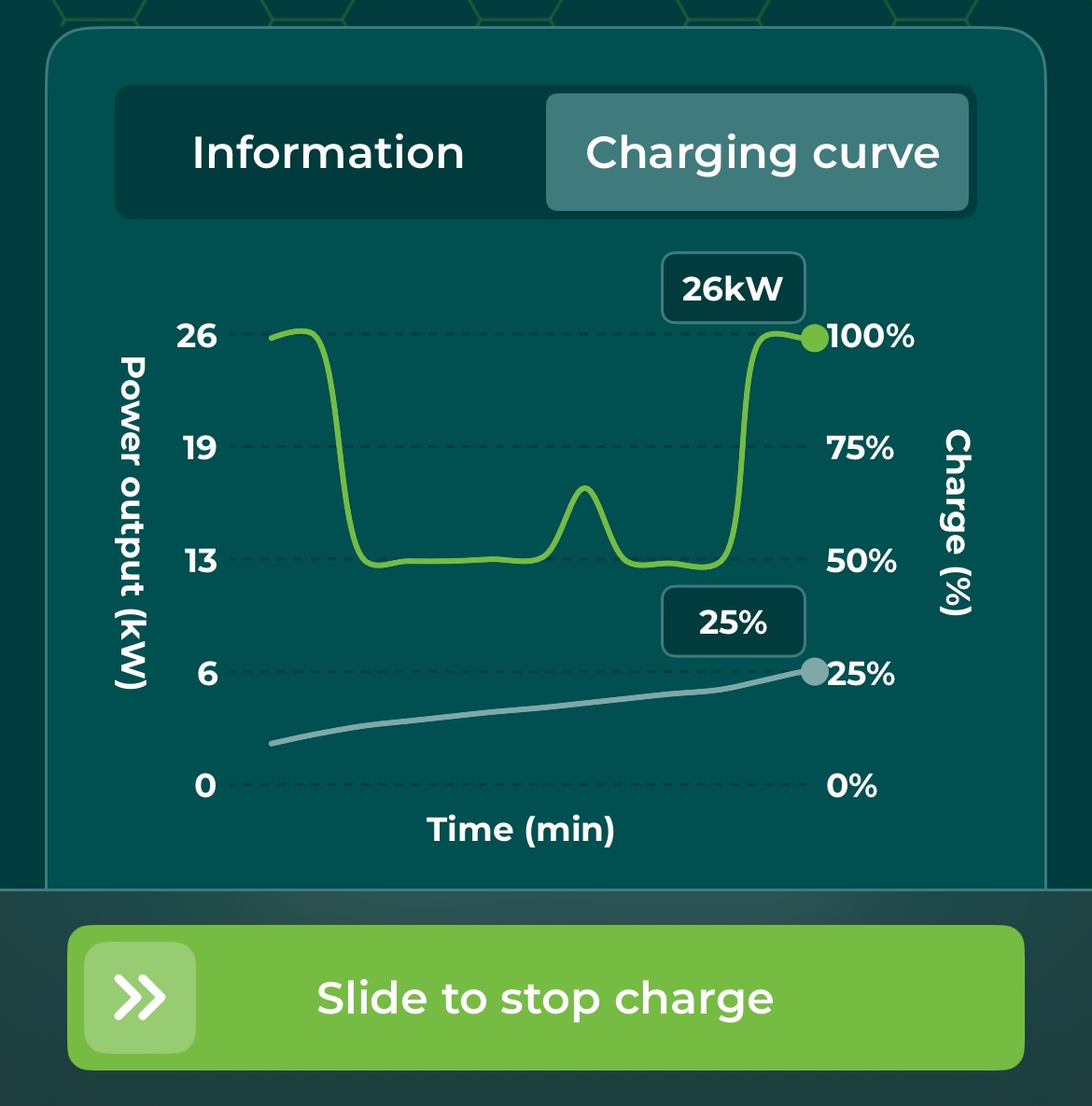
Overall it had taken 30 minutes to get from just below 10% charge to 25%. At this point, it was getting late, so I stopped the charge and headed home.

Not sure why it was slow, was it my car, was it the charger? There was no one else using that charger, though other cars were charging on the other chargers, would that make such a difference? I don’t know. All I will say is, it was frustrating when all I really wanted to do was to get home.

Falling range

When I first got the Funky Cat in August 2023 whenever I charged to 100% my predicted range was usually 185 miles. Not quite the 193 of the advertised WLTP range but pretty close.

For pretty much of 2025, well the warmer months, when I have charged to 100% I now have a predicted range of 175 miles, well with the odd exception.

I have noticed over the last month or so that the predicted range as now dropped to 172 miles when I charge to 100%. 

It’s known fact with electric vehicles that they do deteriorate over time and the storage capacity of the battery is reduced as it is used and charged.

The ORA Funky Cat I have is the original First Edition model and has the Lithium Ion Phosphate battery, which is fine to charge to 100% on a regular basis (or so I read on the internet), this is the battery in the newer ORA PURE. The newer ORA 03+ or even newer ORA PRO has a Ternary Lithium battery, which has a 30% increased capacity and range, however the advice from the internet on this kind of battery is not to charge to 100% on a regular basis.

As my car is a lease car, I will be returning it in just under a year, so I won’t have to worry too much about the falling range.

Mapping it badly no more

Last year I blogged about some mapping issues I was having with Apple CarPlay on the Ora Funky Cat.

I have noticed a glitch with Apple Maps on CarPlay on the Ora Funky Cat ever since I upgraded to iOS 18. Starting CarPlay, opening Apple Maps I am in completely the wrong location.

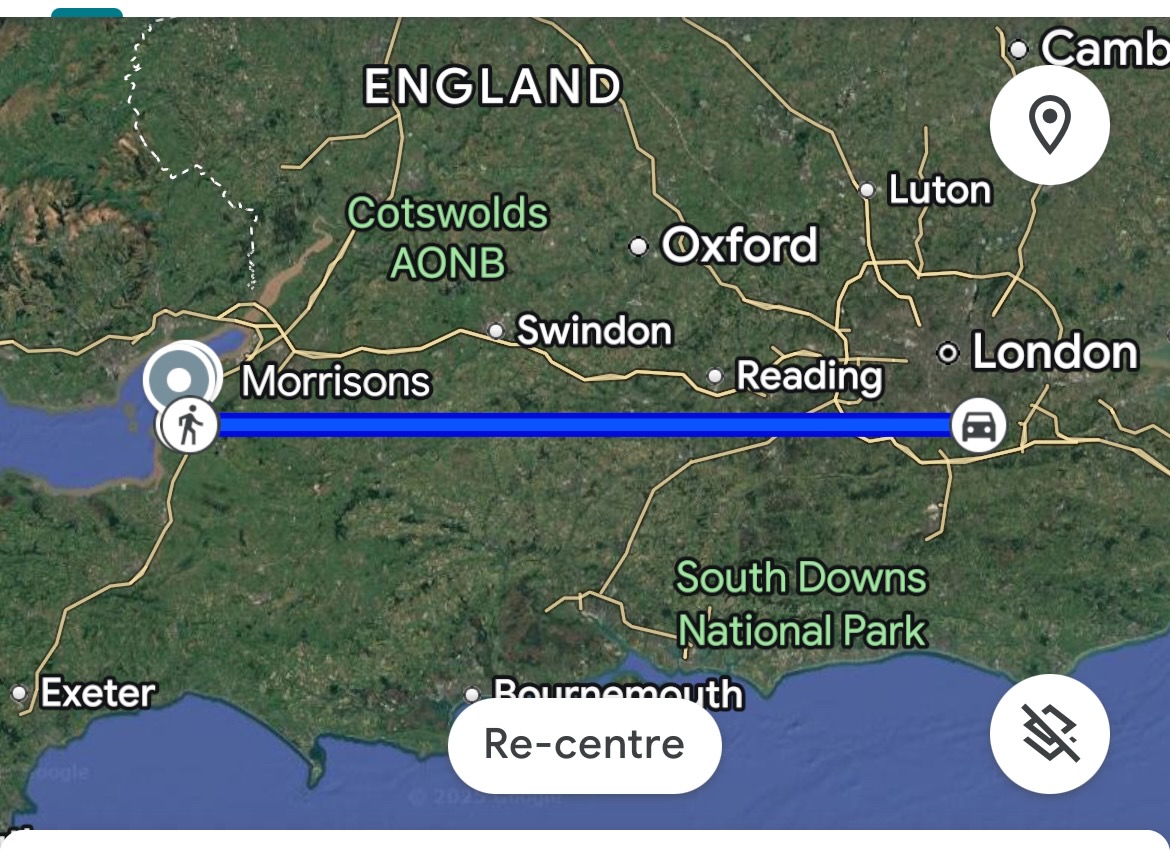
Over the next few months I would have the same glitch with Waze and Google Maps. I would start the car, CarPlay would start and though I knew where I was as far as the car was concerned I was about 100 miles to the east.

Usually within a few minutes the error would correct itself and I would find that Waze would place me in the right location. It certainly was annoying, also when I actually needed the sat nav to work it was quite frustrating. One solution was to disable CarPlay and either use the built-in navigation (which worked fine) or use the phone separately and balance it on the dashboard.

This also impacted on Google Maps timeline, which would often show me having travelled a hundred miles in just a few minutes!

I kind of just lived with it.

I have noticed over the last few months that the glitch seems to have resolved itself. I’ve not updated the car, so it must have been an iPhone update. Whatever, now I have a sat nav works just fine, which is nice.